


Blog
How to Order from Sneakitex (5 Simple Steps)


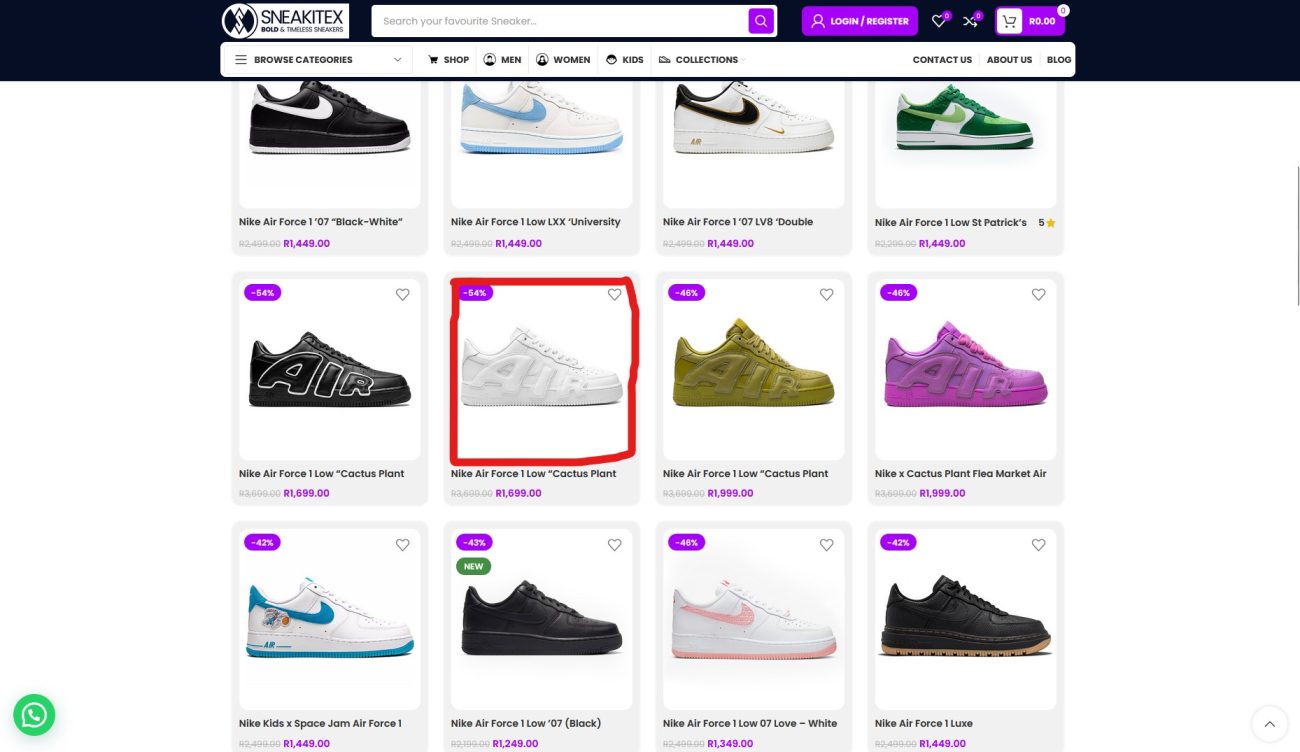
1️⃣ Browse & Choose Your Sneakers
Explore our collection and select the pair you love by clicking on the image.
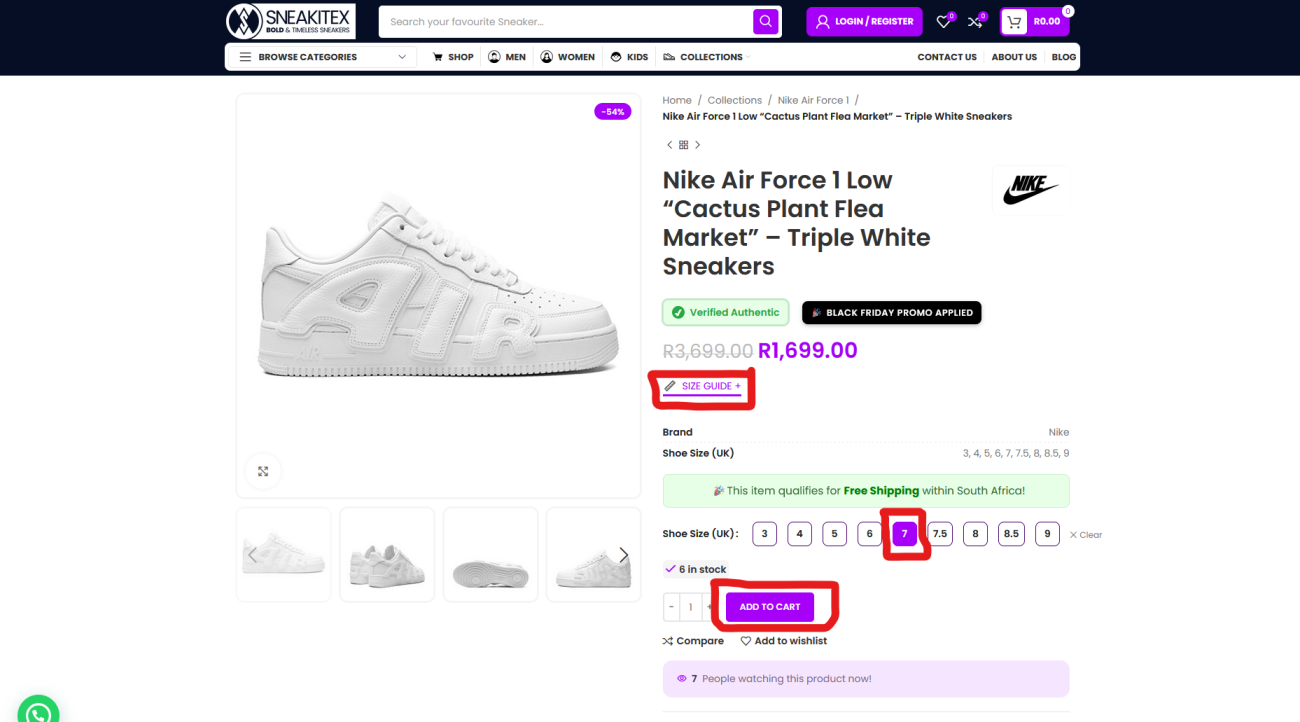
2️⃣ Select Your Size
Check the size chart if needed, then choose your correct size.
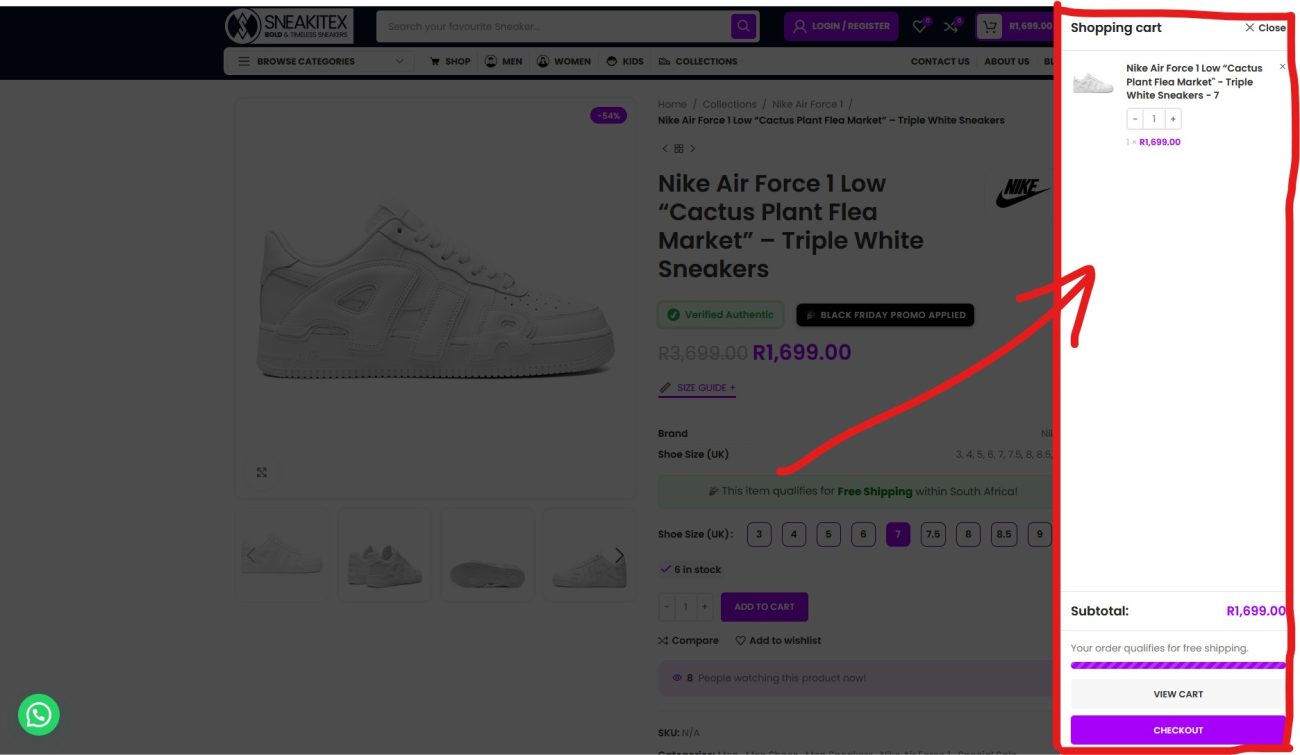
3️⃣ Add to Cart
Click Add to Cart.
A mini cart pop-up will appear on the right side of your screen showing the items in your cart.
4️⃣ Click “Checkout” in the Mini Cart
In the mini cart menu, simply click the Checkout button — no need to visit the cart page.
You’ll be taken directly to the Checkout page.

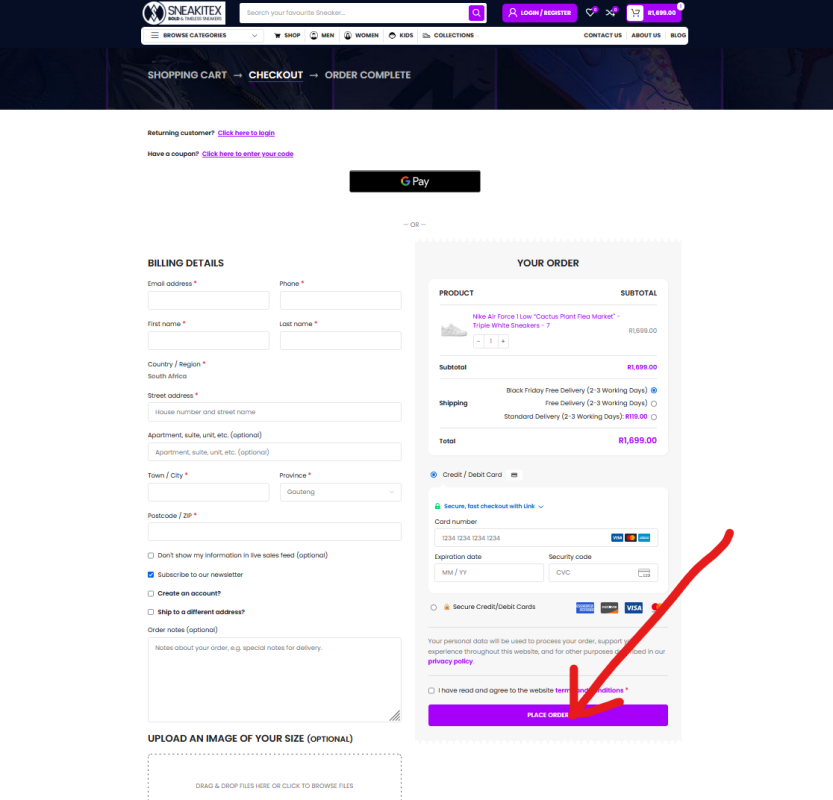
5️⃣ Enter Your Details & Place Order
Fill in your shipping details, choose your payment method (Card, EFT, or COD where available), and click Place Order.
We ship via The Courier Guy and send a tracking link once dispatched.
What to do if your order fails?
In the event that your order fails, this can sometimes happen if:
> The payment amount exceeds your daily transaction limit set by your bank, or
> There’s a temporary restriction on your card for online purchases Or
> You did not complete the Secure 3D Authentication required by your Bank.
Please check with your bank to ensure your limit allows for the purchase amount.
You can also try again using your same card or an alternative payment method.
 Tip: For extra security, we recommend using a Virtual card (if your bank offers one) when making online payments. It’s safer and often more reliable for online transactions. Once your payment goes through, your order will be processed immediately.
If you need any help, our team is happy to assist.
Simply reach out to us by email or reach out via WhatsApp support: +27 77 466 7216


 Slides